Your idea. Made into an app.
Make a plan. See the design. Then build.
Made guides you through each step—with AI and without code.

An idea, brought into view. Whats for Dinner, designed inside Made. Follow the journey below to see how it took shape.
Captured from the real Made app.Whats for Dinner · Development build.
One idea.
Watch it take shape.
Follow Whats for Dinner from a few words to a design you can explore.
- STEP 01
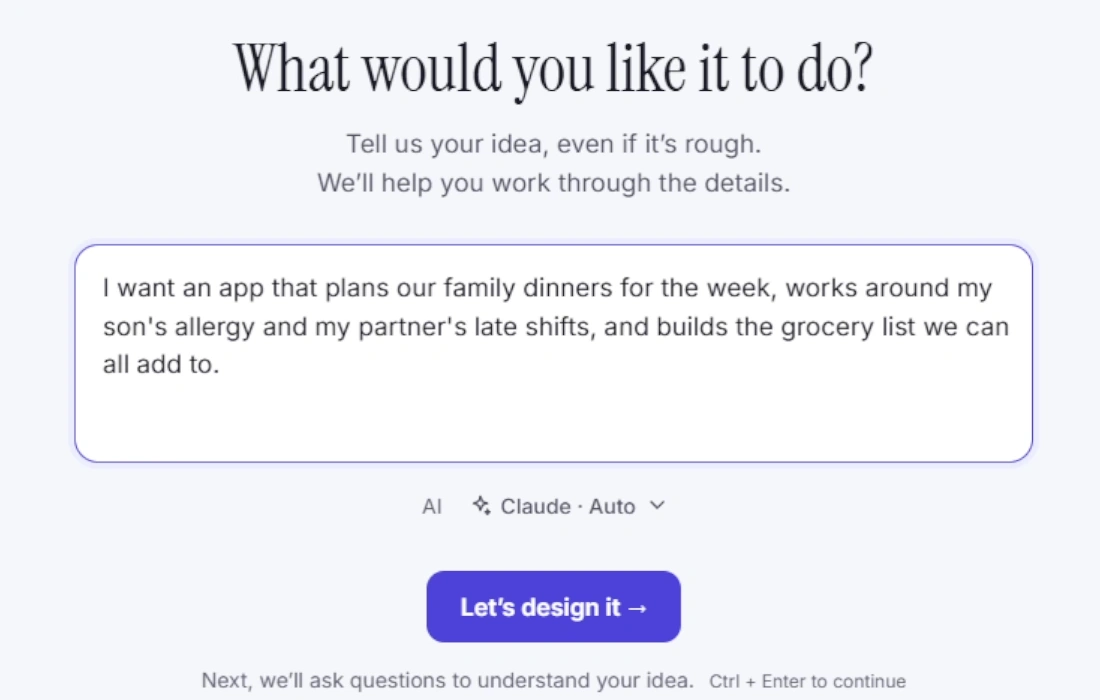
Describe your idea.
Start with what you want to make. Here, it’s a family dinner planner that works around food allergies and late shifts, and keeps a shared grocery list.
- STEP 02
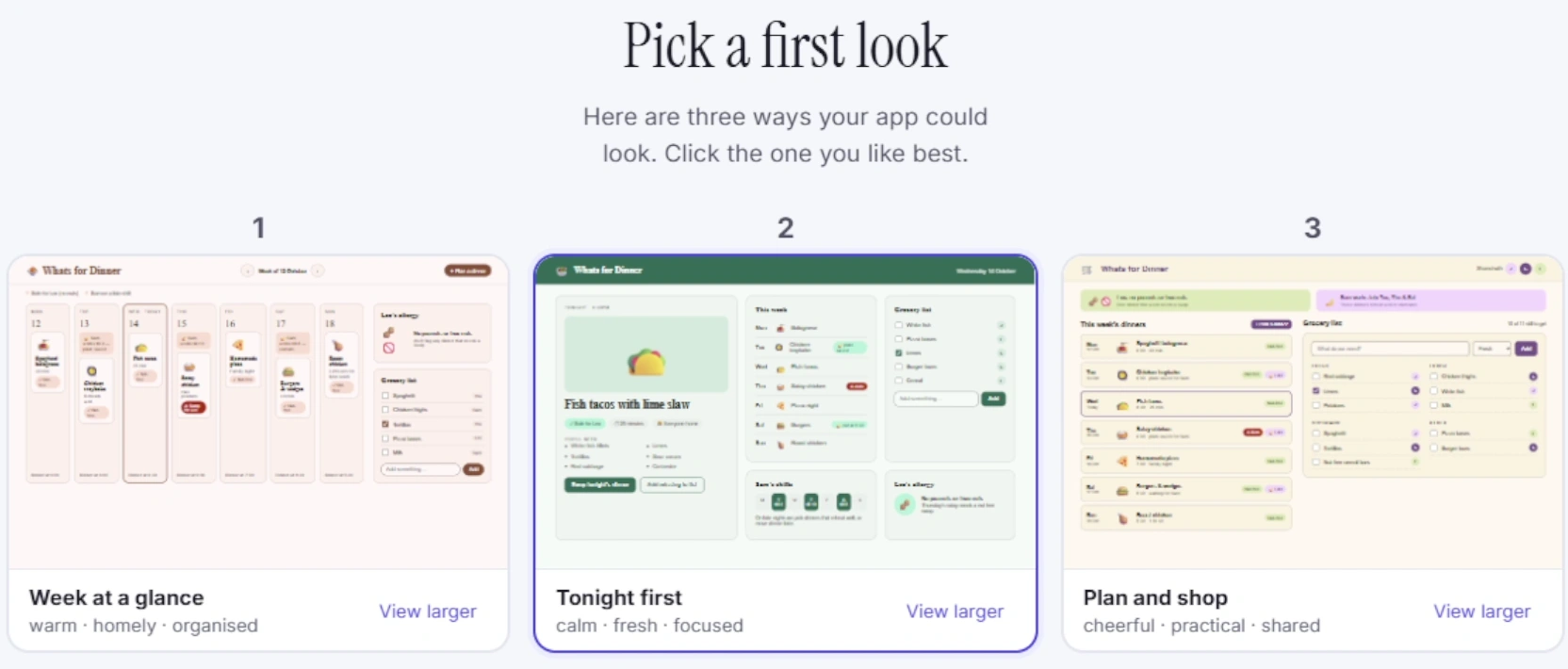
Choose a first look.
One idea, three distinct directions. Choose the look that feels right for your app.
- STEP 03
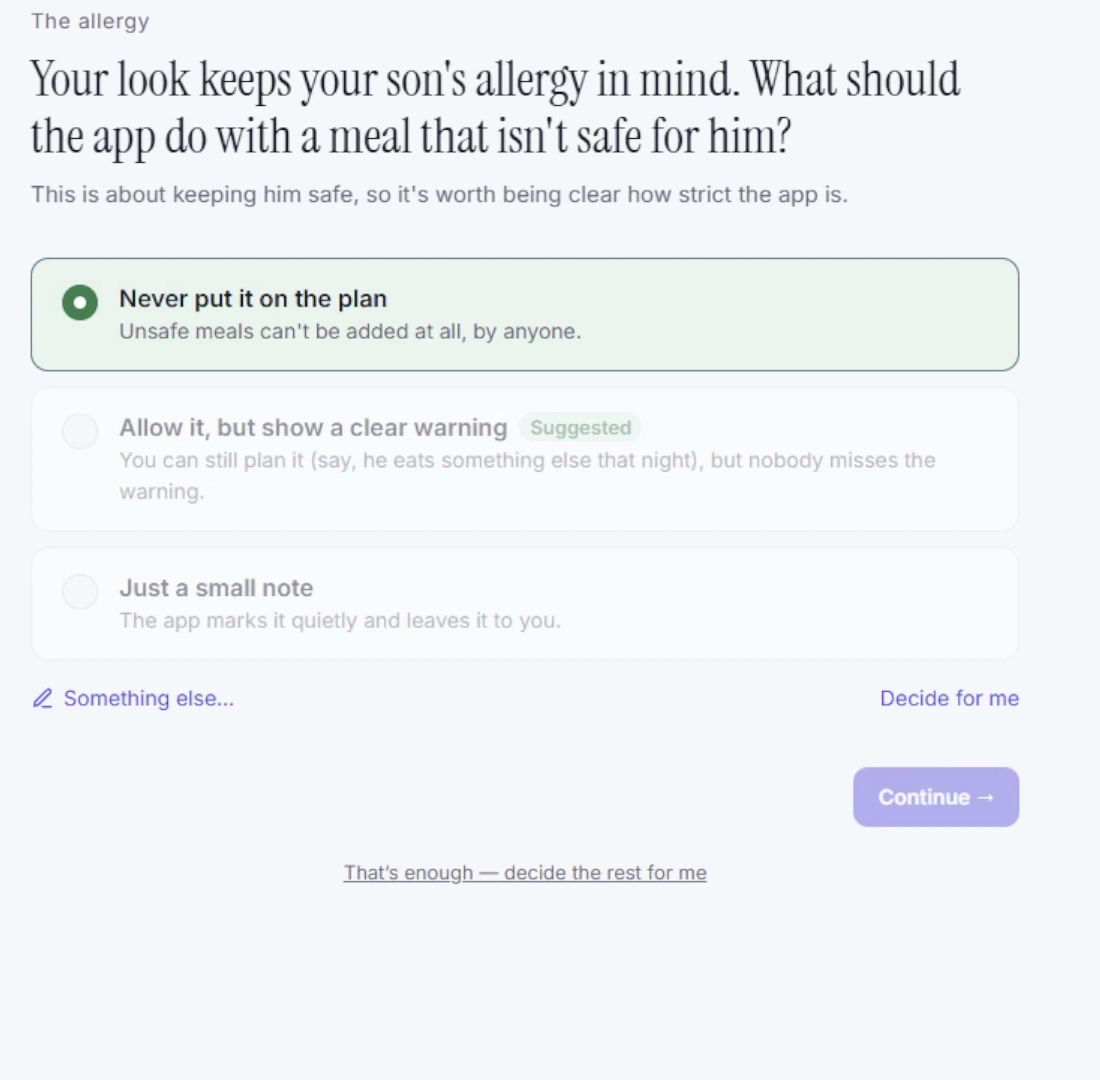
Work through the details.
How should dinners be picked? What happens on late nights? Made asks about your family’s routine, with clear options to help you decide.
- STEP 04
Explore your design.
Move through your design and try its features. Here, the grocery-list view brings ingredients together in a checklist you can explore before approving the build.
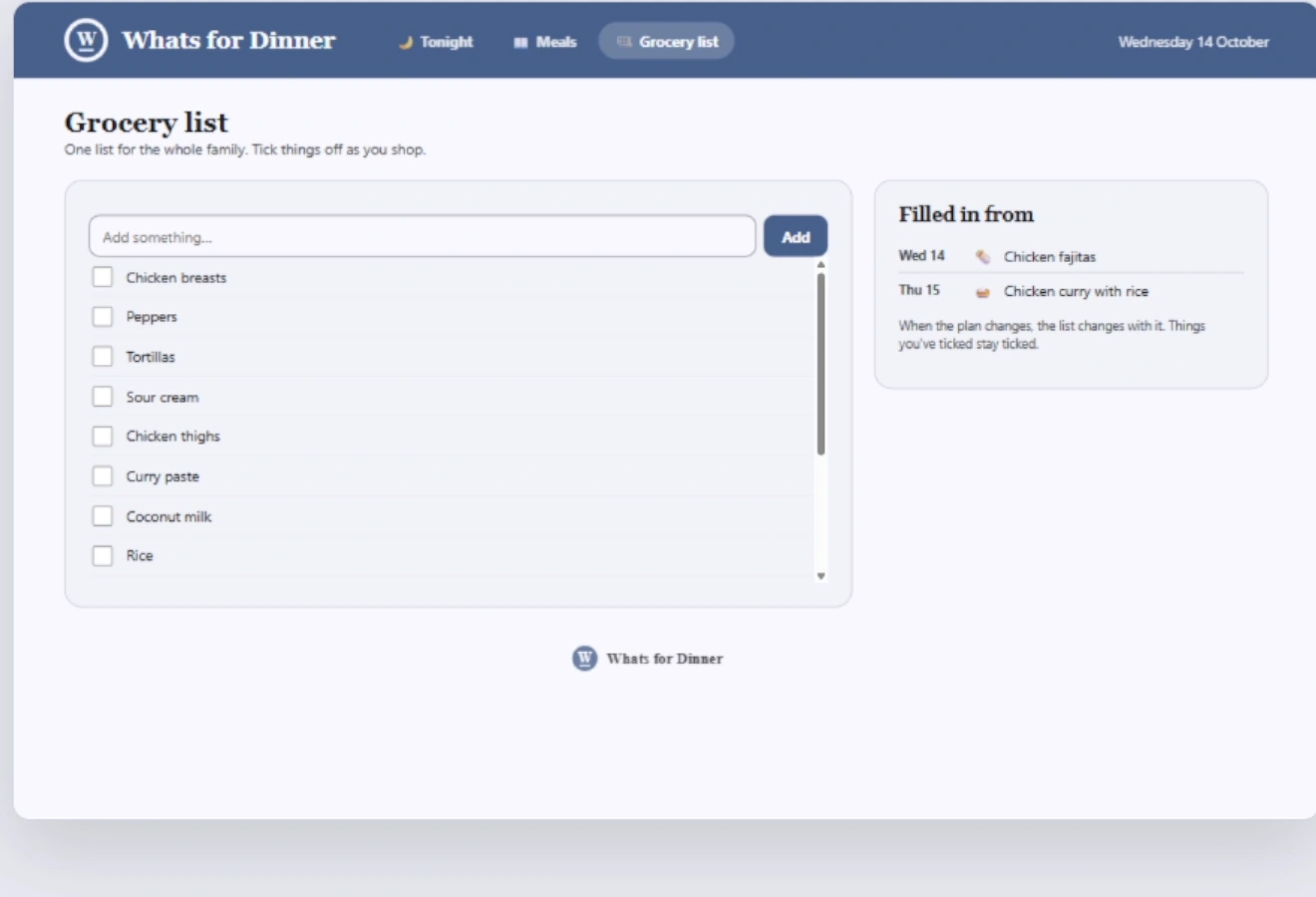
Captured from the real Made development build. The generated design preview comes before building and testing.
From a few words
to a design you can try.
A real recording of Whats for Dinner taking shape in Made.
34-second highlights · Edited from the development build recording. Some waiting time is condensed.
Watch the full walkthrough · 2 minutes 19 seconds
Good ideas need
a way forward.
Made is being built for people who know the problem they want to solve, but need help turning it into software. A booking tool, a community app, or a better way to take orders starts with understanding how it should work.
That’s the approach behind Made: ask useful questions, make the choices clear, and give you a plan you can review.
Before you start.
What we can confirm today.
What is Made?
Made is a Windows app in development designed to guide you through planning, designing, and building your own app with AI. The product preview shows how that guided journey is intended to work.
Do I need to know how to code?
Made is being designed for people who can describe what they need in everyday words. It guides the decisions and technical work. You’ll still try your app, check its behavior, and decide what needs improving.
Can I use Made yet?
Not yet. Made is in development, and a public download is not available. This site is a first look at the product and its direction.
What will I need to use it?
Made is being developed for Windows and is designed to work with AI services. Supported Windows versions, AI providers, account requirements, and any additional costs will be confirmed before release.
What will it cost?
Pricing has not been announced. Before Made is available to buy, we’ll explain what’s included and which AI or publishing costs may be separate.
Are these screens from the real app?
Yes. The screens and recording show the current Made development build being used to plan and design Whats for Dinner. The app shown inside Made is a generated design preview; some interactions are demos. The recording does not show the later build, test, or publishing stages.